

Create a V.PS account
Sign up
Go to https://vps.hosting/signup/, or click Create Free Account on v.ps.
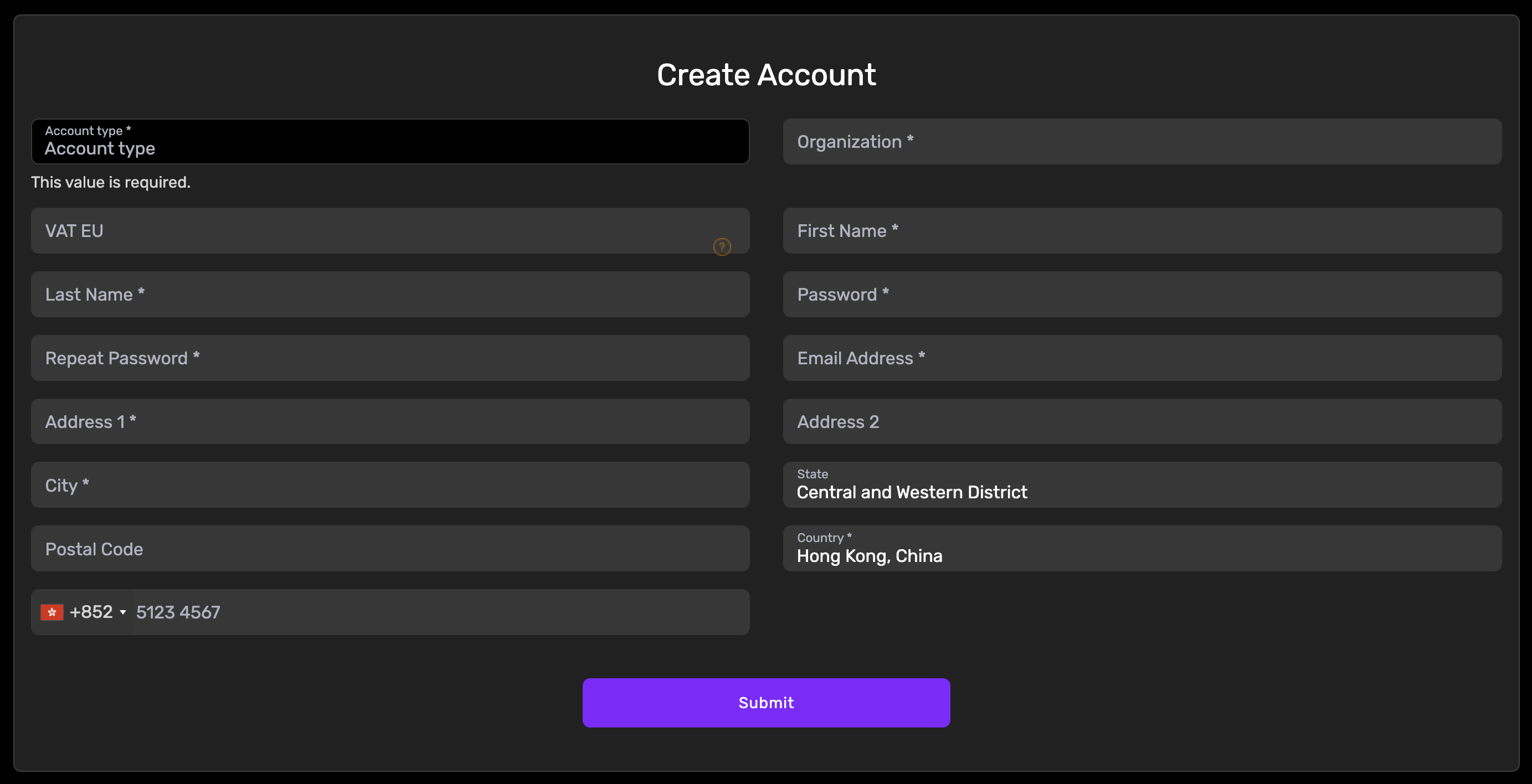
The signup form asks for:
| Field | What it is | Notes |
|---|---|---|
| Account type | Personal or organization | Choosing organization adds the two fields below |
| Organization | Company name | Organization accounts only |
| VAT EU | EU VAT number | Organization accounts only, and optional even then |
| First Name / Last Name | Your name | Use your real name |
| Password / Repeat Password | Login password | Use a strong one |
| Email Address | Your e-mail | Receives invoices, notices and ticket replies |
| Address 1 / Address 2 | Street address | The second line is optional |
| City / State / Postal Code | The rest of your address | As applicable to your region |
| Country | Where you are | Choose truthfully |
| Phone Number | Phone number | Used only when we need to reach you |
Verify your e-mail
After submitting the form, we send a verification e-mail to your address. If it does not arrive, check your spam folder. Click the link in the e-mail to finish verification.
Sign in
Sign in to the client area with your e-mail address and password.
Next step: Order a VPS