

Order an SSL certificate
Pick a certificate
V.PS sells three GoGetSSL™ certificates:
| Certificate | Secures | Price per year |
|---|---|---|
| Domain SSL | One domain | €5.95 |
| Wildcard SSL | All subdomains of one domain | €49.95 |
| Public IP SAN | A public IPv4 address | €19.95 |
All three use Domain Validation (DV): no documents to supply, no callbacks. You prove control of the domain and the certificate is issued. Every order includes unlimited free reissues and unlimited server licenses, with a 30-day money-back guarantee. Compare them on the SSL page.
Place the order
In the client area, open the Order menu and pick SSL Certificates. The order wizard walks through five steps: certificate type, CSR, contacts, product configuration and payment.
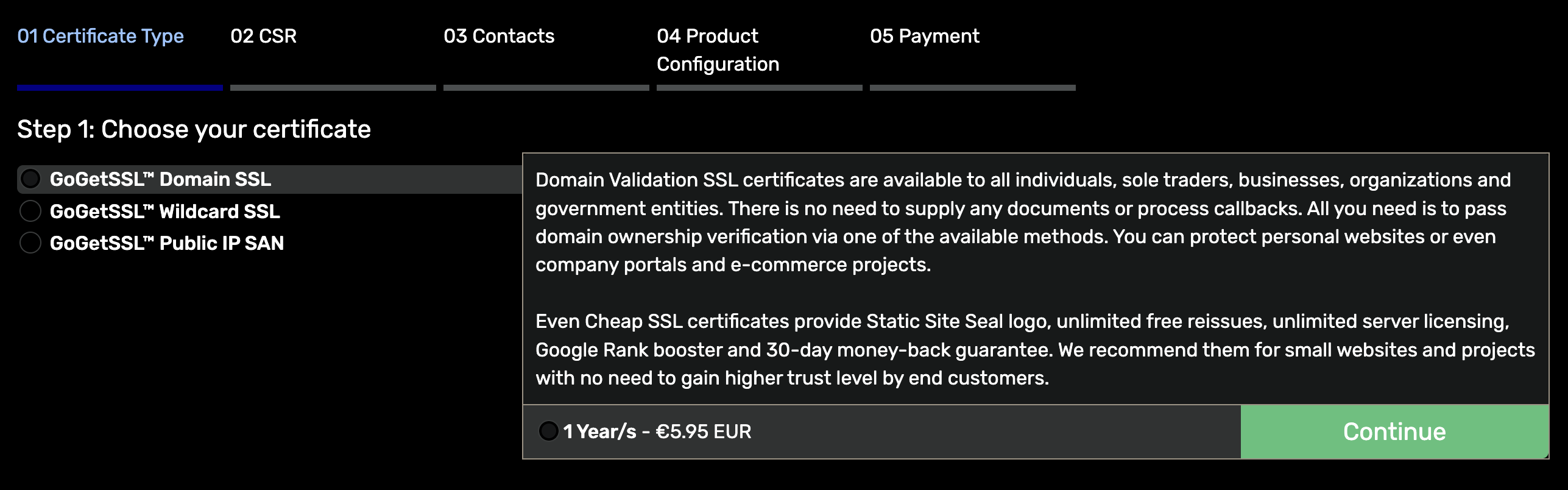
Select the certificate and term, then click Continue.
Submit the CSR
A certificate signing request (CSR) carries the details the certificate is issued for, including the common name: the domain you are securing. To secure https://www.example.com, the common name must be www.example.com.
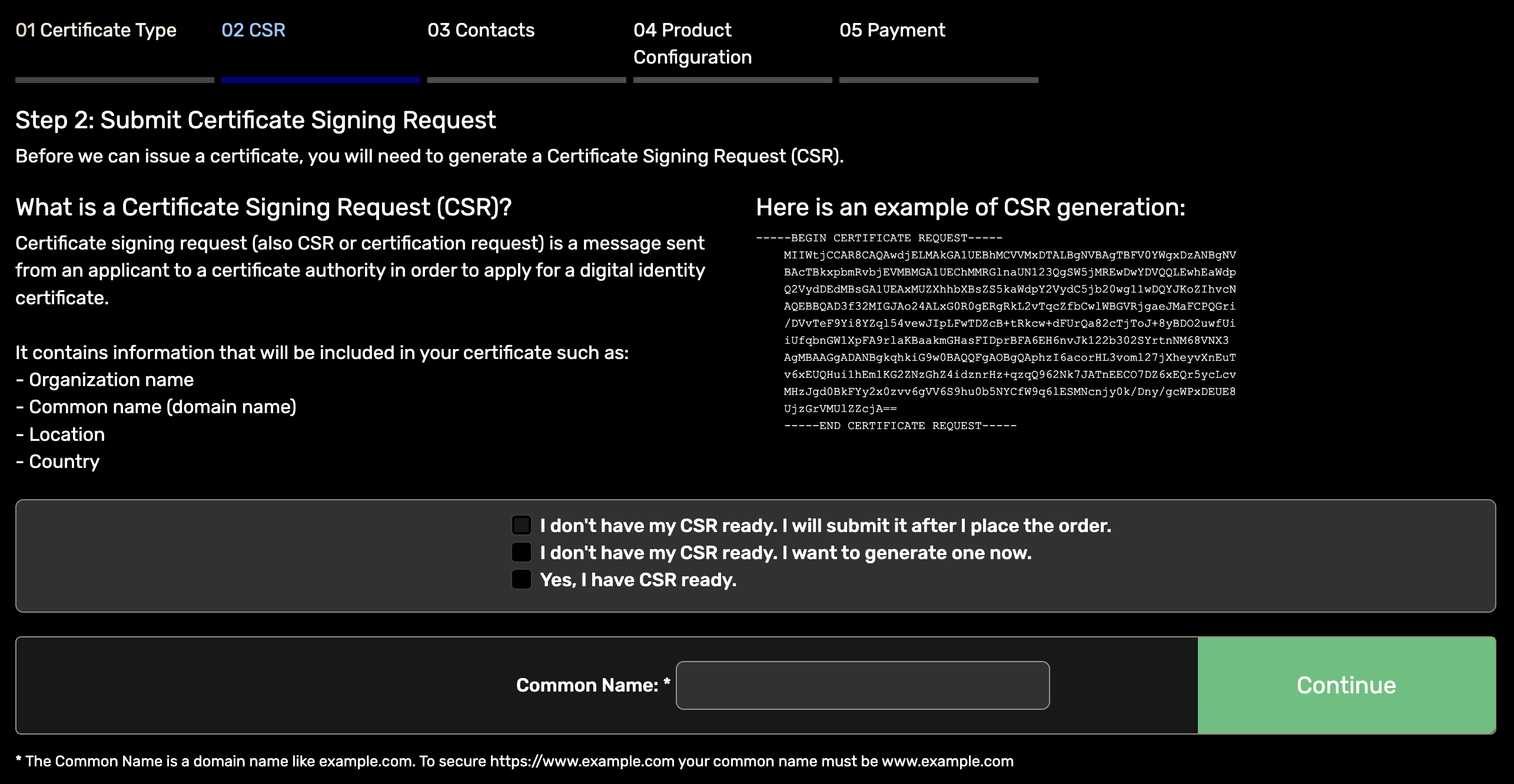
Three options:
- Yes, I have CSR ready: paste a CSR generated on your own server.
- I want to generate one now: the wizard creates the CSR and private key for you.
- I will submit it after I place the order: skip this step and submit the CSR later from the client area.
Enter the common name, complete the remaining steps and pay.
Complete validation
You prove control of the domain with a DNS record or an uploaded file. Once validation passes, the certificate is issued.
Download and manage the certificate
Open Services in the client area and select the SSL order.
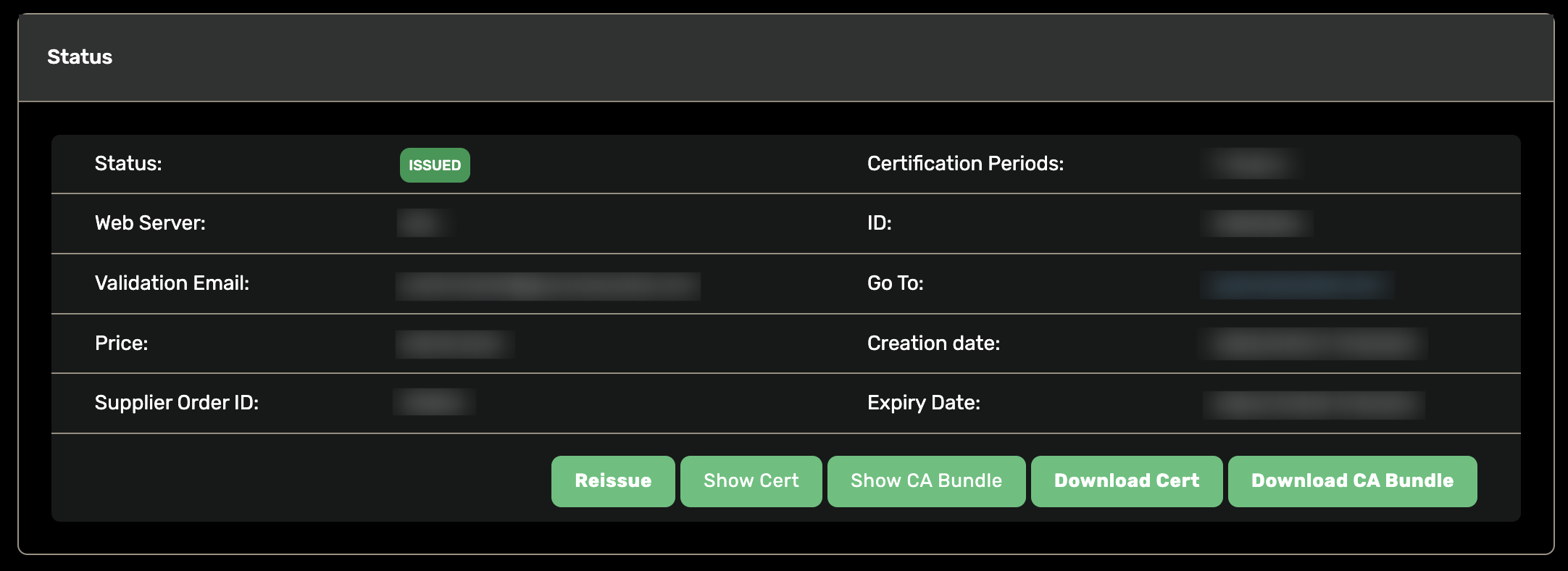
The status page shows the certificate state, creation and expiry dates, and buttons to view or download the certificate and the CA bundle, the two files your web server needs. If you change servers or keys, use Reissue.
CA rules cap each issued certificate at 200 days, but a one-year order still covers the full year: V.PS reissues the certificate for free before each expiry until your term ends.
Next step: Order cPanel hosting